



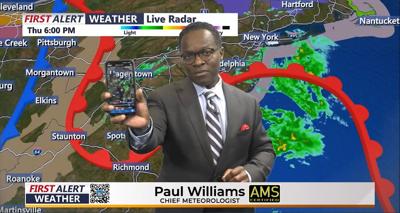

You've probably seen these wacky little black-and-white squares everywhere, but have you ever wondered what their purpose was?
Well, they're called QR codes, and they're used to easily access different places on the internet. Now, WRDE has our own QR code, which is displayed on screen during the weather, which will take you to the WRDE Weather app.
The question still remains-- how are you supposed to use them? Here is a step by step guide:
- First, open up your camera app on you phone.
- Point it towards the QR code while it is on screen.
- Make sure to zoom in so that the QR is visible on your screen, but make sure it's not too zoomed in that some of the QR code is cut off.
- You'll notice your phone will make a border on screen around the code.
- Tap the QR code on your screen, and it will take you where you need to go!
Remember, it's not necessary to take a picture, you just need to use your camera app so that your phone sees the QR code.
Using the WRDE Weather QR code will take you to the page to download the WRDE Weather app, or the page to update it if you already have the WRDE Weather app. Using the app allows you to get a more specialized Weather forecast for your area, touching on things that the broadcasted forecast might not have had time to touch on.
If you need more help with using the QR code, check out this tutorial video with Chief Meteorologist Paul Williams below: